
Privacy tool / Web application
ShareWithEaseShare the information. Limit its lifetime.
A focused sharing experience for sensitive information, with content, expiry, and access settings in one flow.
Visit the project- Project
- Client work
- Focus
- Sharing flow / Expiration rules / Access settings
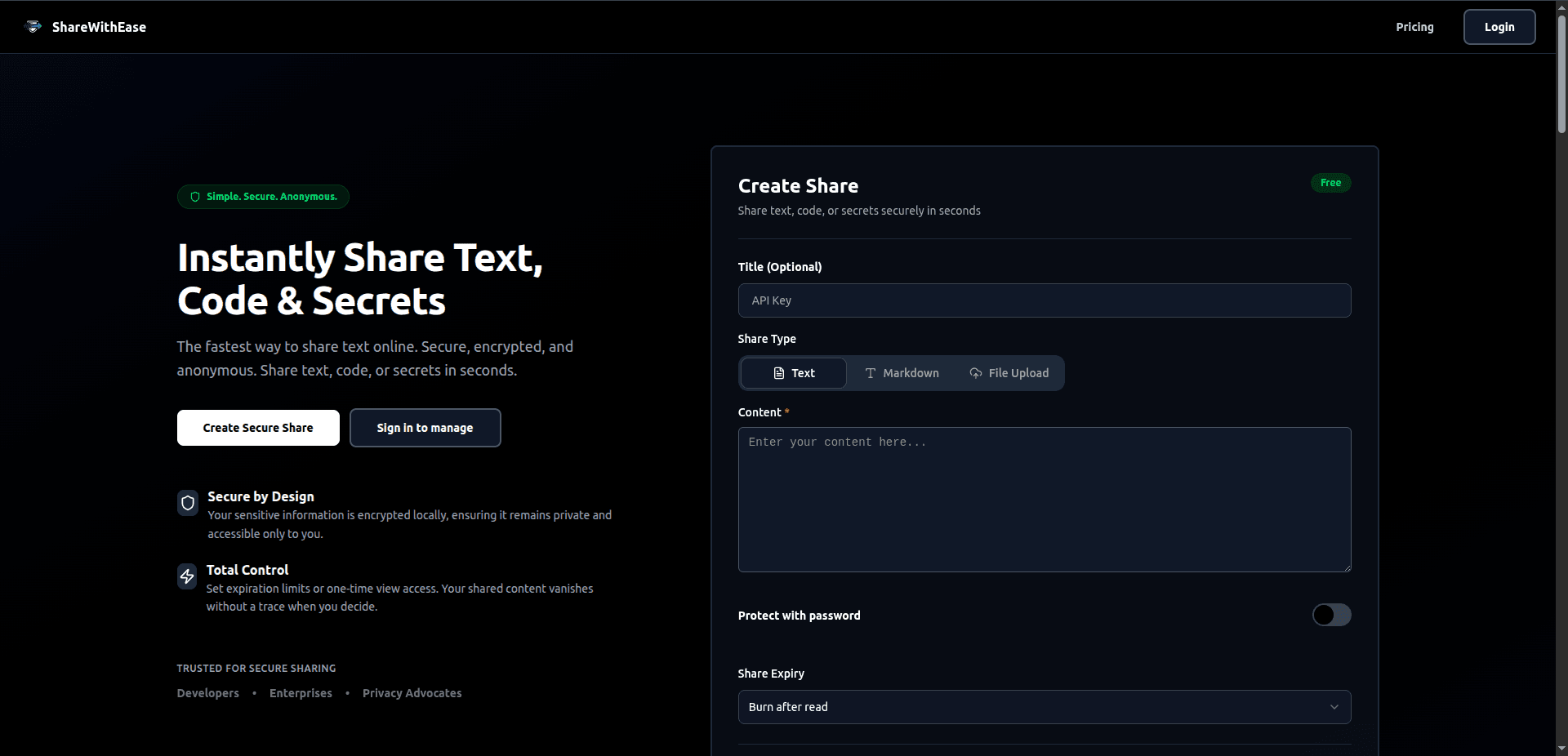
Inside the interface
Put sharing controls beside the content
The captured creation form groups the message and its sharing rules in one workspace.
Choose the content
Text, password, and file options sit above the input area.
Set the limits
Password protection and expiry controls appear in the same form as the content.
The challenge
Sensitive information should not remain available indefinitely.
Teams and individuals frequently share sensitive credentials—like API keys, database credentials, and seed phrases—over Slack or email. This leaves a permanent, searchable history of cleartext secrets in chat logs. Existing password managers require complex setup, account creation, or subscription locks just to share a single temporary secret.
The experience
From private content to a limited-life link.
Enter the information
Set the limits
Create a link
Share & retrieve
A simplified map of the product journey.
What we built
Sharing rules belong in the creation flow.
We built a focused interface for creating time-limited sharing links. Users paste a secret, set expiration rules (e.g. valid for exactly one view or 1 hour), and generate a sharing link. The sharing flow brings content, expiry, and access settings together before a link is created.
A direct path to sharing
The experience centers on entering information, choosing the rules, and creating a link without an account-registration step.
Make the lifetime explicit
Time and view limits let the sender define how long the shared information should remain available.
Review the sharing settings
Content and sharing settings are brought together before the user creates a link.
Explore ShareWithEase.
Visit the project to see its public experience, or talk with us about the parts of this build relevant to your own product.
Open the projectMore from the portfolio
Different work. The same care.


Let’s make it work
What would make the difference for your product?
Tell us about the people, the workflow, and the challenge. We’ll help shape a useful next step.
Start a projectClarity from the first conversation.
Start with your business problem
Agree the scope before the build
Own your code and infrastructure